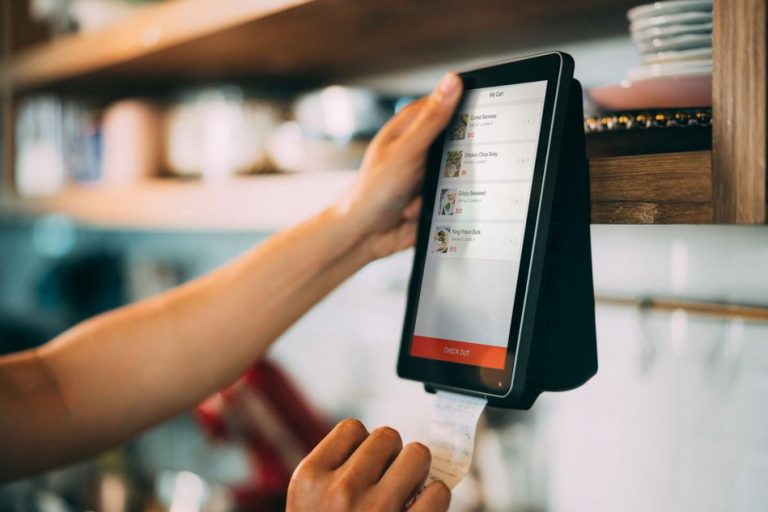

On a phone, a large, slow-loading photo can keep an AIP recipe’s ingredient list out of reach. Before changing hosting plans, resize the photo and check whether readers can get to the ingredients while the rest of the page loads.
Speed matters most when someone has a task to finish. A reader comparing ingredients during an elimination phase may be standing in a shop; another may be opening a symptom-tracking guide between appointments. A faster page cannot make nutrition advice more accurate, but it can make it easier to use. Find what slows a particular page, make a manageable change, then check the reading experience again.
Start with the pages readers actually use
Testing every page at once can leave you with a long list of warnings and no clear priority. Pick a few pages that serve different purposes: an image-heavy recipe, a long food-reintroduction guide, and a shorter page with a form or download. Test those pages, not just the home page. A quick home page tells you little about a recipe with a dozen photos and a video embed.
Open each page on a phone, ideally once on a slower connection. Watch for the title and first useful paragraph, notice whether images push text around, and try tapping a link. Text may appear quickly while a late banner still shoves the ingredient list off-screen. Record the URL, device, date, and what you saw. You’ll want that baseline when you test a fix.
If you have technical measurements, look at three separate parts of the experience rather than relying on one overall score:
- Loading: Does the main content appear promptly, especially the lead photo or a substantial block of text?
- Responsiveness: Does a menu, jump link, or recipe control react promptly when tapped?
- Visual stability: Do buttons and paragraphs stay put as images, ads, or embeds arrive?
These roughly match Core Web Vitals. Treat the numbers as clues, not proof that readers found what they needed. Compare the same page on similar devices before and after a change; any single test can vary with the connection or server load.
Make images lighter without making food harder to see
Images are often the first place to look on a food blog. A camera original can be much wider than the column where it appears. If a narrow phone screen downloads the full-size file, much of that data goes to waste. Export images at suitable dimensions and have the site serve smaller versions to smaller screens. Keep enough detail to show, for instance, the texture of a cooked vegetable or what a recipe step should look like.
Modern image formats and sensible compression can make files smaller without making them muddy. Inspect the finished photo at the size readers will see, not only in your editing software. If a graphic contains words, check that they remain legible. Better yet, put essential instructions in page text, where readers can access and search them.
Give the image near the top priority over photos farther down. Lower images can usually load as someone scrolls toward them; that’s lazy loading. But lazy-loading the first large image may delay the very thing that makes the page appear ready. Set image dimensions or an aspect ratio as well, so the browser saves the space before the file arrives. A food photo shouldn’t shove a reintroduction checklist down the screen mid-read.
Remove work the page does not need to do
Scripts take time to download and run. Over the years, a recipe page can collect analytics tags, sharing buttons, an embedded video, a pop-up form, and plugins. Together they may make taps and scrolling feel sluggish. Check what each one does for the reader. If a video is supplementary, a link to it may be enough instead of an embed that loads with the page.
Don’t switch off a feature solely because a test calls it expensive. A print control earns its place on many recipes; an animation that few people need may not. If a tool loads across the site but supports only one contact form, see whether it can load only on that page. Remove abandoned plugins through your usual maintenance process, with a backup and a check that the affected pages still work.
Look at fonts, too. Several families and weights can require several files before the text settles. A simple pairing or a system font may read better than an elaborate collection. Check headings on a phone after any font change, since they may wrap differently. You don’t need to strip a page bare; you do need to decide what is worth the loading time.
Keep the page usable while it loads
Readers of an elimination-diet guide should be able to reach its explanation and steps without waiting for a newsletter overlay. On a recipe page, the title, ingredients, and instructions should remain readable if an optional embed is slow. Avoid hiding all the text behind a loading animation when the browser could already be displaying it.
Save space for elements that appear after the text, including ads, embedded media, and sign-up boxes. A layout shift isn’t just untidy: it can move a button under someone’s finger or interrupt a paragraph. That’s especially frustrating when a reader is following a sequence for food exclusion or gradual reintroduction.
After a change, try the mobile menu, recipe jump link, ingredient notes, and print view. A page that appears quickly but pauses on every tap still feels slow. If you offer a symptom diary form, check that typing and submitting work on a less powerful phone.
Use caching carefully
Caching lets a site reuse prepared files or pages instead of rebuilding or downloading them on every visit. Many hosts and publishing platforms offer it. Browser caching can make repeat visits quicker by reusing shared files such as the stylesheet; page caching can reduce server work for public articles. Neither fixes an oversized image or a heavy script, but caching may help once the page is reasonably lean.
Change caching settings one at a time. Then check the site while signed out and in a private browsing window. Make sure updated recipes appear, forms submit, and visitors cannot see content meant for someone else. A content delivery network may serve static files closer to readers, but it, too, needs checking after publication changes. If you’re unsure how several caching tools interact, ask your host or a developer before combining them.
Measure engagement without confusing it with health outcomes
A speed fix can make it easier to reach recipe instructions, read an important qualification, or move to a relevant guide. It cannot show that readers changed their diet, found symptom relief, or received appropriate care. Health content still needs its own editorial checks. Discuss persistent symptoms and dietary changes with a doctor; an exclusion diet or a faster website is not a substitute for medical care.
Before making a change, choose one or two signals that fit the page. On a recipe, that might be whether visitors reach the instructions or use the print control. On a guide, it might be whether they open the next step. Read any change cautiously: traffic source, season, or an editorial update could affect behavior too. Look at the page yourself alongside the numbers.
Start with one busy page that is visibly slow. Compress an oversized lead photo, reserve space for media, and remove an unnecessary script if you find one. Retest on the same kind of phone and connection, then check the content and controls. Once that page works well, apply what you learned to similar pages rather than risking a site-wide change all at once.
Decide what not to optimize away
Some files earn their place. Step-by-step photos may help someone tell whether an ingredient is cooked through. A clear explanation of a food-exclusion plan matters more than trimming a little page text. A higher test score is not worth losing context, legible images, or useful controls.
For each proposed removal, ask what the element does and whether a lighter version could do the same job. An autoplay video could become a thumbnail with a play button; a decorative carousel could become one good photo. A dense infographic might work better as text headings with a small illustration. These changes can help readers as well as reduce loading time.
Keep a brief change log with the page URL, date, what you changed, and what you checked. If an AIP recipe later loses its print formatting, the log can help you trace when it happened. For the next page, check its largest image in the first screenful: compare the dimensions shown on the page with the file the phone actually downloads.