
“Avoid nightshades during the elimination phase” may leave readers wondering what counts as a nightshade—and whether the advice applies to them. Naming tomatoes, peppers and potatoes helps. So does explaining that the restriction belongs to a specific elimination approach, not every paleo-style diet. Readers shouldn’t have to guess at either point.
For a food and digestive-health publication, accessibility goes beyond easy reading. People may use screen readers, enlarge text, move through a page by keyboard or translate it. They may also be short on time or unfamiliar with nutrition terms. Some need to tell a recipe preference apart from advice that could affect their health. The page’s structure, language and media should help all of them find the essential information.
Start with the decision the page helps someone make
Before drafting, ask what the reader came to do. A recipe reader needs ingredients, substitutions and steps. Someone learning about elimination and reintroduction needs the purpose, limits and sequence, without mistaking a blog post for a personal plan. A post about digestive discomfort should distinguish everyday observations from symptoms that deserve medical attention.
Put the information needed for that task near the top. If a recipe contains eggs and nuts, say so before a long account of how it was developed. If a post discusses an autoimmune protocol, define it before listing restricted foods. Tell readers whether they’re looking at an explanation, an example meal plan or a personal account. That distinction helps them judge how much weight to give it.
Keep the page to its stated purpose, too. A post headed “How to keep a food and symptom diary” should explain what to record and how to consider patterns cautiously. It doesn’t need to turn into a broad case for paleo eating. Otherwise, important qualifications can get buried.
Write plainly without flattening the science
Plain language leaves room for nuance. Define a term when readers first need it: “reintroduction” means bringing an excluded food back after an elimination period and noting any changes. “Microbiota” means the community of microorganisms living in a place, including the gut. Neither explanation needs a long aside.
Concrete nouns help more than shorthand. Instead of “track responses,” ask readers to “record the food, portion, time eaten and symptoms noticed afterward.” Be careful with “trigger,” too: one uncomfortable day doesn’t prove a food caused a symptom. Sleep, stress, illness, other parts of the meal and portion size can complicate the picture.
When an instruction has several parts, separate the action from the reason: “Record what you ate and when. Timing can help you discuss a possible pattern with a clinician.” Keep cautions next to the claims they qualify. Readers shouldn’t have to reach the bottom of a page to learn that a restrictive diet has nutritional trade-offs.
Make health claims specific enough to evaluate
“Supports gut health” could mean many things and may imply more certainty than the evidence warrants. If the point is about fiber intake, name fiber. If it’s about someone’s reported bloating, say that rather than suggesting a proven change in their microbiome. Make it clear when a statement rests on established evidence, early research or personal experience.
That care matters with exclusion diets. If someone feels better after removing several foods, the experience doesn’t show which change mattered or predict what will happen for another person. Elimination diets are not a substitute for medical care or a way to diagnose yourself. Encourage readers to discuss persistent symptoms and planned dietary changes with a doctor, particularly when restrictions would remove several regular sources of nutrients.
Give every section a navigable shape
Descriptive headings help people skim visually or move through a page with assistive technology. “How to record symptoms” tells readers more than “A few thoughts.” Keep heading levels in order: an h2 for a main section, then an h3 for a subsection. Don’t choose a heading level for its default font size; you can change the appearance without changing the document’s structure.
Give each paragraph one main idea. Use a numbered list for a sequence and bullets for independent checks. A food diary checklist, for example, might ask readers to:
- Name the food or meal rather than writing only “lunch.”
- Include an approximate portion and preparation method when relevant.
- Record when symptoms appeared, without assuming the latest food caused them.
- Note circumstances that may matter, such as a disrupted sleep schedule.
- Leave space for questions to discuss with a healthcare professional.
Lists still need a reason to be there. A run of single-word bullets can be harder to follow than a short paragraph. Keep the grammar consistent across items.
Make links and calls to action meaningful on their own
Some screen-reader users move through a page by links rather than listening to every paragraph. Heard on its own, “click here” says nothing about where a link goes. Name the destination. If it analyzes an older protein-powder product, the link text should say so—not suggest general clinical guidance.
Apply the same thinking to buttons and forms. “Send your question” says more than “Submit.” Give an email field a visible label and tell newsletter readers what they’ll receive. If an entry is invalid, explain the problem beside the field—“Enter an email address in [email protected] format”—rather than relying on a red outline.
Links should be recognizable without color alone. Underlines help, particularly for readers with low vision or color-vision differences. Check that keyboard focus is visible as someone tabs between links and controls; otherwise they may lose track of the active item.
Describe images for the job they do
Alt text gives someone who cannot see an image the information that image contributes. What it should say depends on the image’s purpose. A purely decorative recipe photo may need an empty alt attribute. A photo showing where to cut a squash needs a brief description of that detail. Don’t pack alt text with search terms or start every description with “image of.”
Put essential instructions in the page text, not just inside an image. If a graphic reads “Step 3: return one food at a time,” include those words where they can be enlarged, translated and read aloud. For a chart of reported symptoms across several days, describe the main pattern nearby and provide the underlying values in a readable format when they matter.
A caption and alt text serve different purposes. A caption supplies context for everyone; alt text conveys what the image contributes to someone who cannot see it. Using the same sentence for both makes screen-reader users hear it twice.
Check contrast, spacing and mobile reading
Text that looks fine on a large monitor can disappear against a photograph or feel cramped on a phone. Keep strong contrast between text and background, including in captions, labels and error messages. Don’t place important instructions over a busy image. Enlarge the text when testing: paragraphs should reflow without horizontal scrolling, and controls should remain usable rather than overlap.
Color shouldn’t carry meaning by itself. A meal-planning chart that marks included foods in green and excluded foods in red also needs written labels. Reserve tables for information that belongs in rows and columns, such as ingredients compared across recipe versions, rather than using them to arrange paragraphs. On a narrow screen, a complicated table may force sideways scrolling and make it hard to match cells with their headings.
Typography affects effort as well. Left-aligned body text, comfortable spacing and recognizable links are generally easier to read than justified text or tightly packed blocks. Don’t bold a whole paragraph for emphasis. A short lead-in, such as Medical note:, followed by ordinary text is easier to scan.
Make audio and video usable without sound or sight
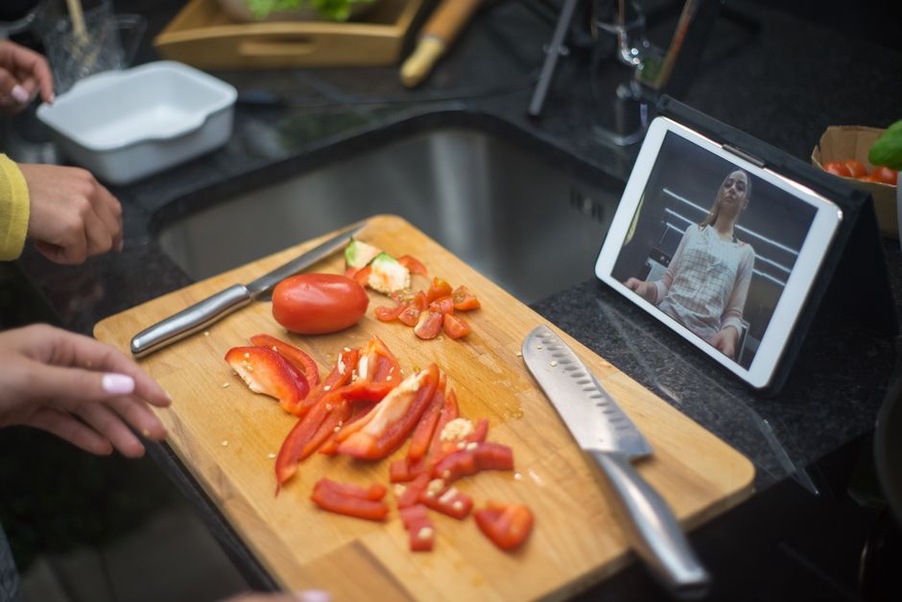
A cooking clip may make sense with sound on yet lose someone watching on a quiet commute or unable to hear it. Captions need spoken instructions and meaningful sounds, not just a video title. A transcript lets readers check quantities and steps. If a crucial detail appears only on screen—say, the thickness of sliced vegetables—say it aloud or describe it in accompanying text.
Review captions instead of assuming automatic ones are right. Ingredient names, temperatures and negations are easy to mishear; an error can change an instruction. Avoid flashing effects and unnecessary motion. If an animation demonstrates a step, let readers pause it or give them the steps in text.
Test the published page, not just the draft
Good writing can become hard to use once it enters a publishing system. Preview the page on a phone and with larger text. Go from the first link to the last using only a keyboard. Check the heading outline, confirm that image descriptions match the final images, and make sure recipe quantities remain readable when enlarged. Automated checks can catch missing alt attributes and some contrast problems, but they cannot judge whether a heading makes sense or an explanation misleads.
Ask someone unfamiliar with the post to find a specific answer: which foods a sample recipe contains, for instance, or what a symptom diary should capture. Watch where they pause instead of asking whether the page “looks accessible.” For your next recipe, try that test with the ingredient list. Put it before the method, name common allergens in ordinary text, and read each step aloud without looking at its photograph. If a step no longer makes sense, that’s the one to fix before publishing.