
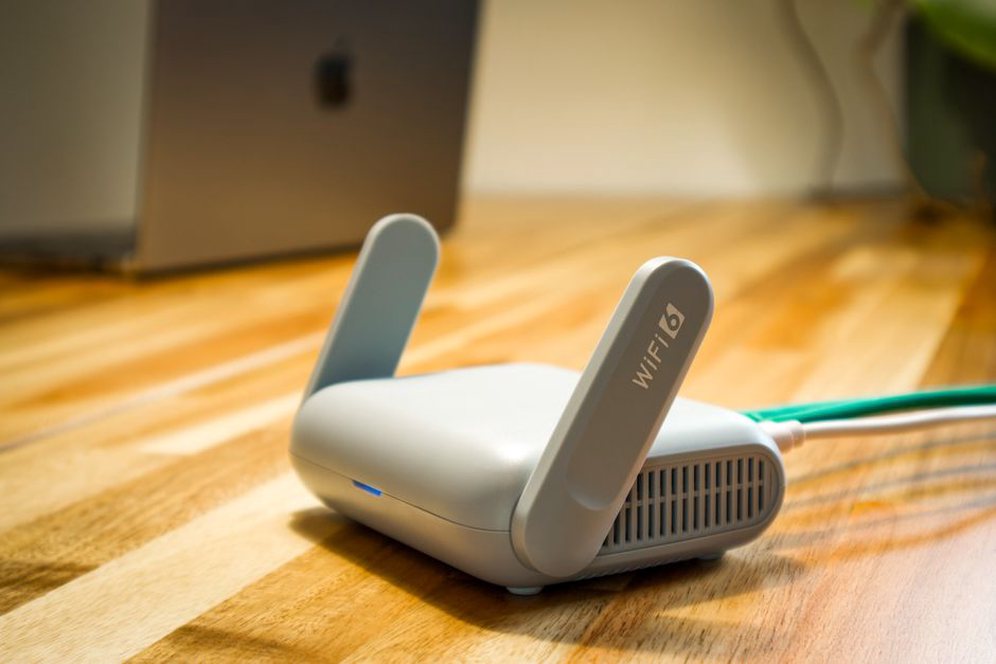
A 500 Mbps plan is not automatically a better buy than a 300 Mbps plan. If either can handle your household’s busiest hour, a stable connection, sufficient upload speed and a predictable bill may matter more than extra download capacity. Compare the plans you can actually get at your address, rather than starting with the biggest number in an ad.
Start with the service available at your address
A provider may advertise across a city but offer different connections, speeds or prices street by street. Enter your exact service address and confirm the result before putting a plan on your shortlist. In an apartment building, service to the neighborhood may not mean service to your unit. Installation might also need the building manager’s approval.
Ask which connection reaches your home. Fiber often offers strong upload capacity, though that depends on the plan. Cable may deliver much faster downloads than uploads. Fixed wireless can be affected by signal conditions and local demand; DSL quality depends partly on the line serving the address. Satellite can reach places other services cannot, but check its latency and data rules closely. The connection type is a useful clue, not a guarantee. Compare the specific offer and terms for your address.
Match speeds to actual household use
Download speed affects streaming, software updates and large files coming into your home. Upload speed matters for video calls, sending files, photo backups and live broadcasts. Providers usually quote speeds in megabits per second (Mbps), while file sizes are often shown in megabytes (MB). Eight megabits make one megabyte, so you cannot estimate a download’s time by dividing its size in megabytes directly by the advertised Mbps figure.
Think about what happens at the same time. One person streaming while another browses is different from several video calls running alongside a cloud backup. Counting devices is less helpful: an idle smart speaker uses little capacity compared with a large file upload. Note both download and upload speeds for each plan, then decide how much room your household needs without paying for capacity it is unlikely to use.
Do not judge a plan by its top speed alone
An advertised speed describes a plan’s maximum or typical capability under stated conditions, not the rate every device and website will reach. A remote server, older device, crowded Wi-Fi or the connection itself can slow things down. If a provider publishes typical peak-time speeds, compare them with the headline figures and check how they are defined. Households that send large files regularly may get more value from a small upload increase than a much larger download increase.
Already have internet service? Test it at several times, including a busy evening. Try a wired connection to the router if practical, then test Wi-Fi where you work or stream. If only the back bedroom has trouble, improving Wi-Fi coverage may help more than buying a faster plan.
Check responsiveness and consistency
Speed describes how much data can move over time. Latency, usually measured in milliseconds, describes how long a small exchange takes to reach a destination and return. Lower, steadier latency can make video calls, interactive games and remote desktop sessions feel more responsive. Packet loss—data that fails to arrive—can cause freezes even when a speed test shows plenty of bandwidth.
Look for reports about reliability close to your address. Neighbors in the same building or on the same street may know about recurring outages, evening slowdowns or installation problems. Treat their experience as context, not a prediction: equipment and household wiring also affect results. Check whether the provider posts outage updates and how customers can report faults.
Read data limits and traffic rules carefully
A plan described as unlimited may still have a fair-use policy, a threshold after which speeds drop, or restrictions on certain uses. A clearly stated monthly allowance, meanwhile, might be plenty for a household with modest usage. The important question is what happens when you reach the limit.
- Allowance: How much data is included each billing period, and do uploads count?
- After the limit: Are there overage charges, reduced speeds or an option to buy more data?
- Peak-time rules: Can traffic management affect performance during busy hours?
- Measurement: Where can you check usage, and when does the allowance reset?
If you already have service, check its usage dashboard rather than relying only on a device-count calculator. Look at several months if you can; a quiet month may miss visitors, seasonal viewing or large updates. For a new household, leave some margin instead of choosing a cap that barely fits your estimate.
Calculate the bill over the period you expect to stay
The advertised monthly price may be temporary, require autopay or paperless billing, or leave out equipment costs. Compare every plan over the same period—often 12 or 24 months—and include one-time as well as recurring charges. Ask for a written order summary that shows when discounts end.
| Cost item | What to check |
|---|---|
| Monthly service | Introductory price, regular price and the date of any change |
| Equipment | Required modem or router rental, purchase price or return terms |
| Setup | Installation, activation and any construction charge |
| Usage | Overage fees or charges for extra data |
| Leaving or changing | Early termination fees and charges for unreturned equipment |
Consider a plan priced at $40 a month for six months, then $60 for six months, with a $10 monthly equipment fee. That comes to $720 for the first year before other charges. A flat $55 plan with equipment included totals $660. The lower introductory price loses in this example. Use the prices and taxes that apply to your address; advertised figures may not include everything.
Apply the same test to bundles. A discount for adding mobile service or television only helps if you want those services on the offered terms. Find out what happens to the internet price if you remove one later, and whether promotional credits require every service to stay active.
Understand the commitment and exit terms
Month-to-month service may cost more but suit someone expecting to move. A fixed-term agreement might lower the monthly price while adding an early termination charge. Ask whether the price stays fixed throughout the term, whether the agreement renews automatically, and what happens if you move outside the provider’s service area.
Read trial and satisfaction guarantees closely. Cancellation windows may be short; equipment might need to be returned by a deadline; installation fees may not be refundable. Likewise, “no contract” can mean no termination fee without promising a fixed monthly price. Save the plan terms and order confirmation, especially for a promotion.
Check installation and equipment requirements
Even an appealing plan will not help much if the first appointment is weeks away or installation is impractical. Ask whether an existing connection can be activated remotely, whether a technician needs access and whether someone must be home. Renters should check permission requirements for drilling, new cables or exterior equipment. For fixed wireless or satellite, ask where equipment must go and whether it needs a clear signal.
Find out what equipment comes with the plan and who is responsible for it. Some providers require their modem or gateway; others allow approved customer-owned devices. If you want to use your own router, confirm compatibility and ask whether it changes the support available to you. An included router might cover a small home but struggle with thick walls or multiple floors. Better Wi-Fi cannot fix an unreliable incoming connection, just as a faster connection cannot fix a weak Wi-Fi signal.
If your household relies on video calls, ask whether installation includes a connection test, what to do if measured performance falls well below the plan’s stated expectations, and whether there is a deadline for reporting problems. If you run a home-based project, such as uploading recipe videos or maintaining a blog, check that the residential plan permits your intended use. Slow recipe pages can also be a website issue rather than a connection issue; why a recipe page feels slow and what to check first covers that side of the problem.

Evaluate support before you need it
When service goes down, how you reach help matters. Check support hours and contact options, including whether someone can help outside regular business hours. Ask how the provider handles missed appointments, replacement equipment and recurring faults. If downtime would disrupt your work, check whether prolonged outages qualify for a service credit and under what conditions. A credit will not restore the connection, but the policy is still worth knowing.
Do not rely on a rating alone. Reviews can reflect billing disputes, installation trouble, local network faults or expectations that a Wi-Fi setup could not meet. Recent reports from nearby homes are more relevant than a national average, though neither guarantees your result. If you need a backup, check whether your mobile connection—and its data and hotspot terms—could support you temporarily rather than assuming it will last a full workday.
Use a shortlist that separates facts from assumptions
Put two or three plans confirmed for your address side by side. Record when and where you got each quote; prices and availability can change. Include:
- Connection type and the exact address or unit confirmed as eligible.
- Advertised download and upload speeds, plus any published peak-time expectations.
- Monthly data allowance and what happens when it is exceeded.
- First-year cost, later monthly cost and equipment or installation charges.
- Contract length, cancellation terms and the installation date offered.
- Support hours and any known local reliability concerns.
Leave unknowns visible instead of guessing. If upload speed is not stated and your household sends large files, ask for it. If a plan says “unlimited data,” read the traffic policy before treating that as a complete answer. Request written confirmation of any claim from an agent that affects your choice.
Before ordering, picture your busiest ordinary hour. If two people need steady video calls at 6 p.m., ask each shortlisted provider for its stated upload speed and any peak-time information available for your address. Put those answers next to the 12-month totals, then choose with both performance and cost in view.